Dashboard
Household overview: swimmers, open and entered meets, recent results, invoices, and the week ahead.
Everything your family needs in one place: meet entries, galas and club events, training times, results, invoices — plus the club calendar and notifications so nothing is missed.
Linked to your household
Families see only the swimmers and records connected to their portal account.
Built around real club data
Squads, results, entries, attendance, and billing stay connected instead of living in separate forms.
Works on phone or computer
Every screen below is the same layout on a phone. Add the club calendar and notifications so the club comes to you.
Getting started
Submitting the membership and medical form starts the club process; it does not create an immediate login. Your account is prepared after membership has been accepted and the club has set up the correct swimmer and household records.
The form gives the club the contact, medical, consent, and household information needed to review and create the membership record.
The club confirms the place, creates or updates the swimmer and family group, assigns the appropriate squad, and links portal permissions.
Look for “Set up your Academy Swim Team portal account”. Its personal password link is valid for 24 hours.
Create a secure password, then sign in with the email address that received the invitation. The Member Login link is in the website header.
No setup email yet?
Wait until the club has confirmed membership and finished setting up the household. If the account is ready but the message is missing, check spam or junk. An expired link can be replaced by the Club Secretary.
Find your way around
The portal menu is organised by what you are trying to do. Anything the club is waiting on you for sits under Activities.
Household overview: swimmers, open and entered meets, recent results, invoices, and the week ahead.
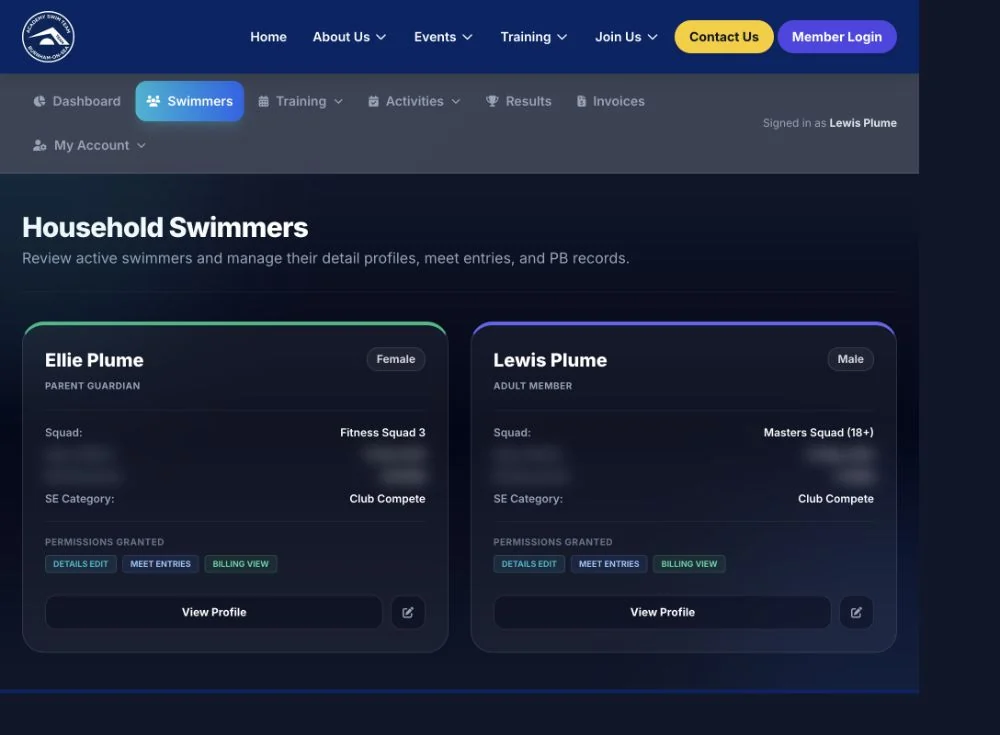
Each linked swimmer’s squad, Swim England category, permissions, results, and record-change requests.
Schedule, Attendance History, seasonal timetables, Test Sets, and Self-Led Training where it applies.
Swim Meets, Galas, Club Events, and the Qualify Checker. This is where the club asks you to act.
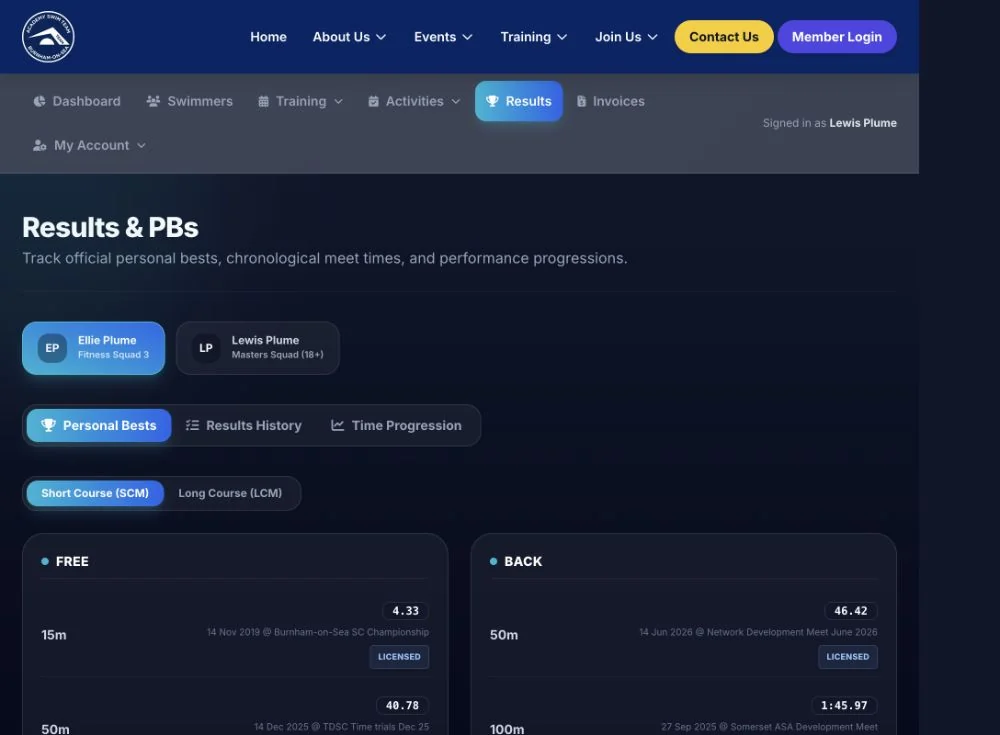
Personal Bests, Results History, and Time Progression, in short course and long course.
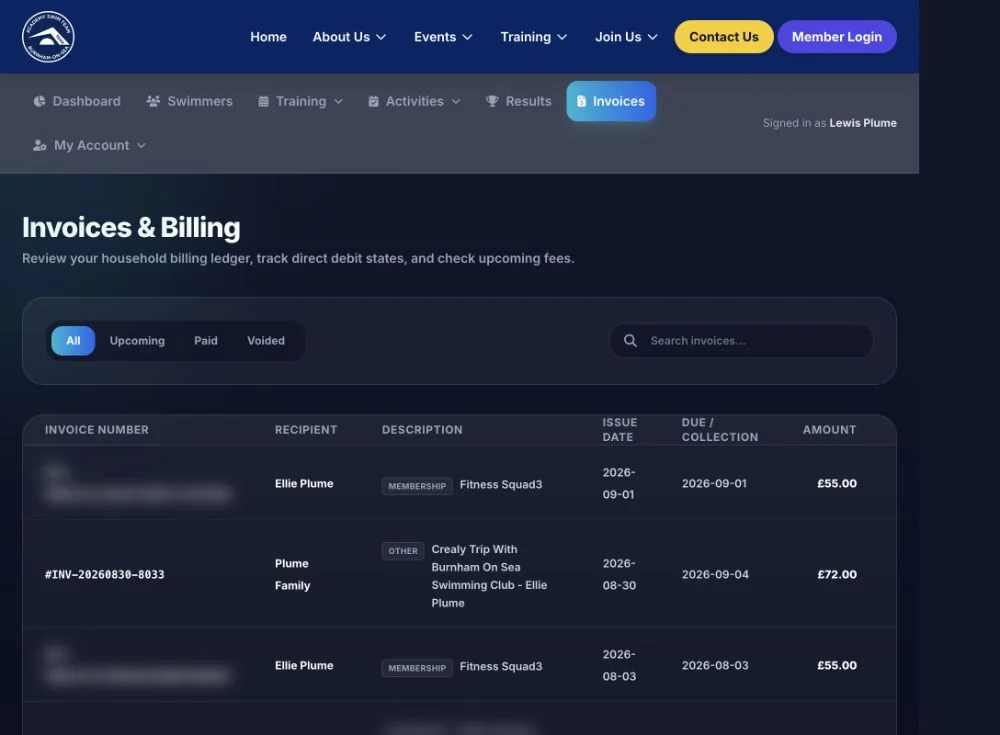
The household billing ledger: upcoming, paid, and voided invoices with line items and payment status.
Account details, notifications, the personal club calendar, password, and My Volunteering where linked.
Competitions
Official entries are made in the Members Portal, not in Spond. A meet only appears as open once the club has the organiser’s pack and has set the club deadline.
Nothing to tick for one of the events?
Meet entry needs an active, linked swimmer with entry permission and the required Swim England Club Compete category. Age group, gender, qualifying times, the organiser’s conditions, the maximum number of events, and the club deadline can all restrict what appears.
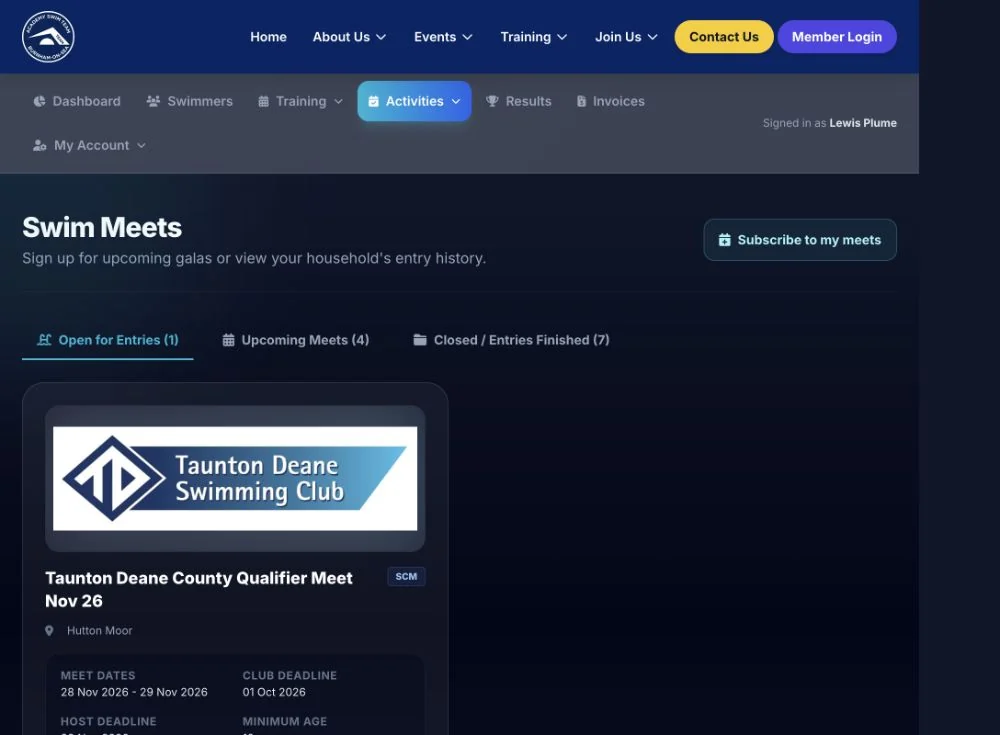
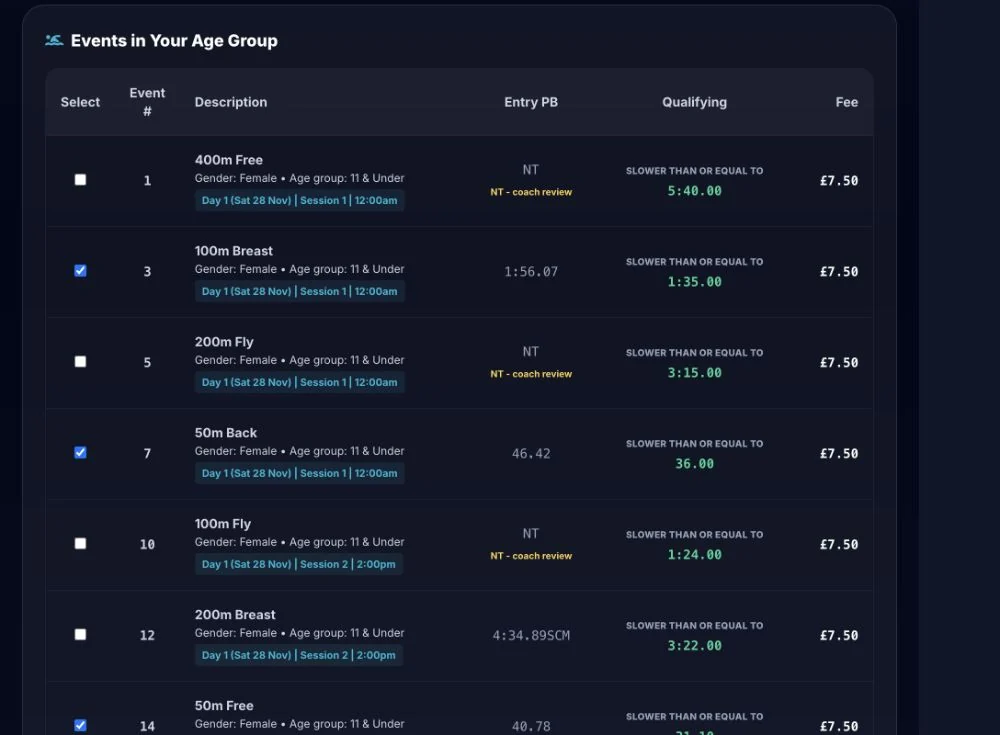
Official meet entry
Select the swimmer, review the events they are eligible for, then tick the events you want and submit before the club deadline.
Galas
Galas are club-organised events where the coaches choose the races. Open Activities → Galas and confirm for each invited swimmer.
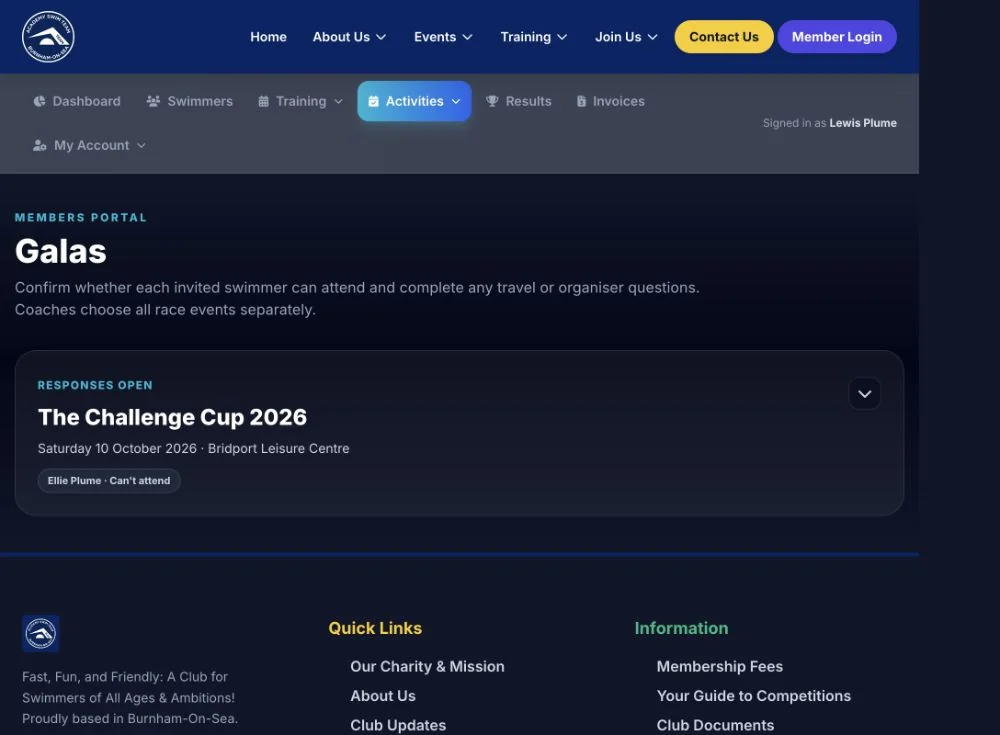
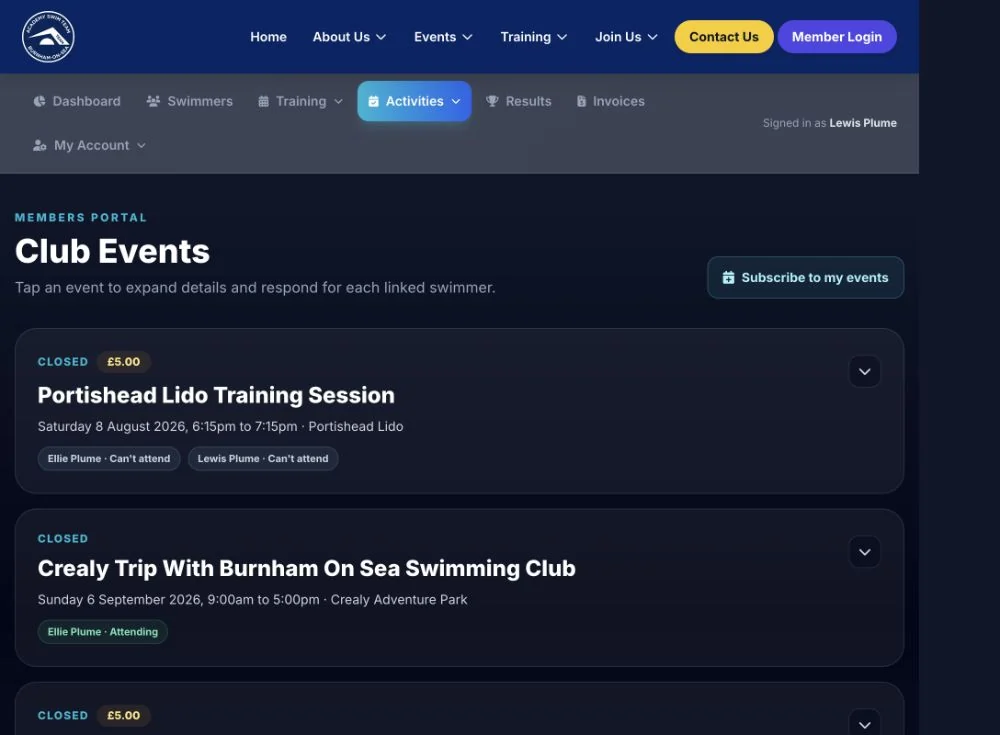
Club events
Open Activities → Club Events. You answer once per invited swimmer, and the coach sees the totals.
Calendar
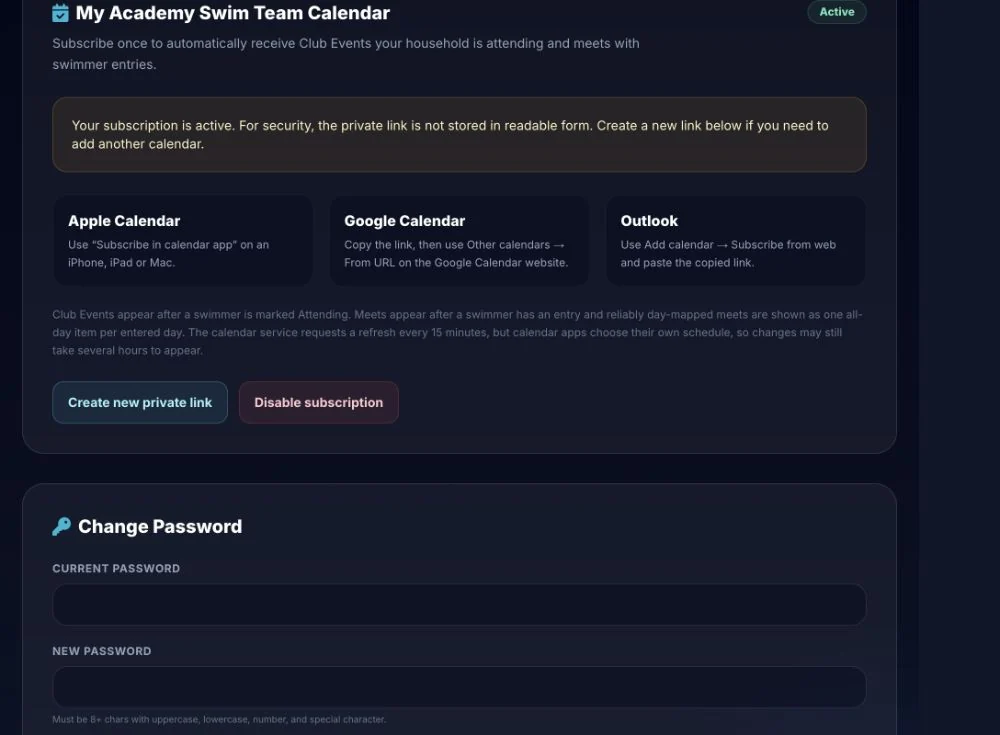
Subscribe once and the club events your household is attending, plus meets with swimmer entries, appear in your own calendar.
How quickly it updates
Club events appear once a swimmer is marked Attending; meets appear once a swimmer has an entry. The calendar service refreshes every 15 minutes, but your calendar app decides when to fetch, so changes can take a few hours to show.
Notifications
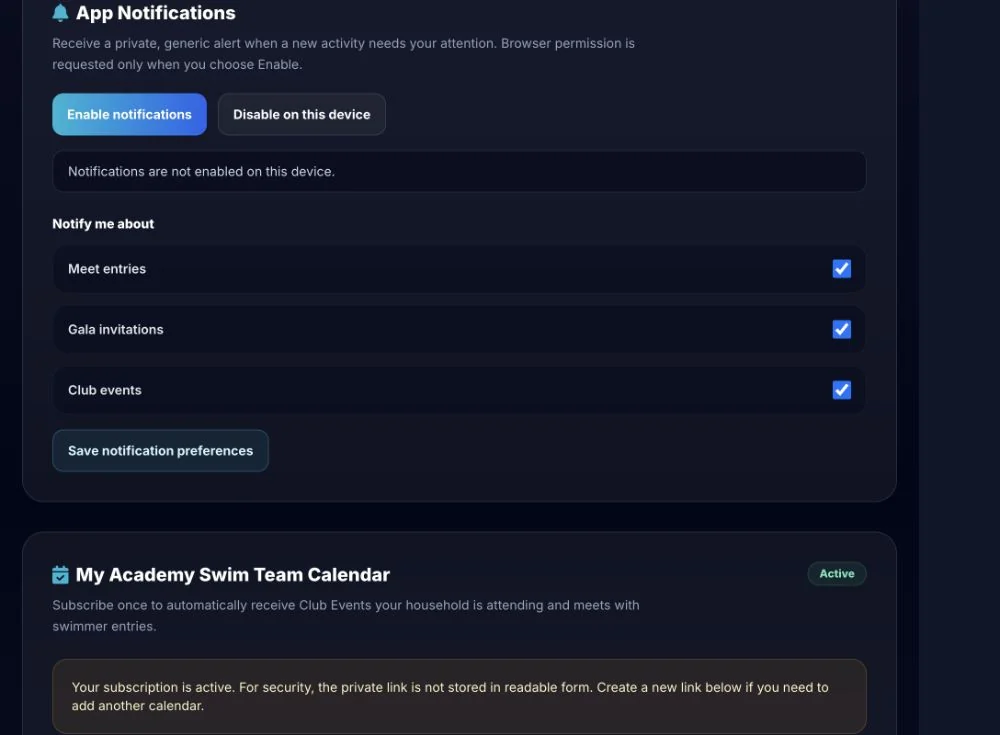
Notifications nudge you when a new activity needs your attention, so you are not relying on spotting it in the portal.
What the alert contains
Alerts are deliberately generic — they tell you something needs attention and link back to the portal. Swimmer names, times, and payment detail stay behind the login.
On your phone
Every screen in this guide is the same layout on a phone, including the calendar and notification settings. The portal menu stacks, and the important buttons stay where you expect them.
Training
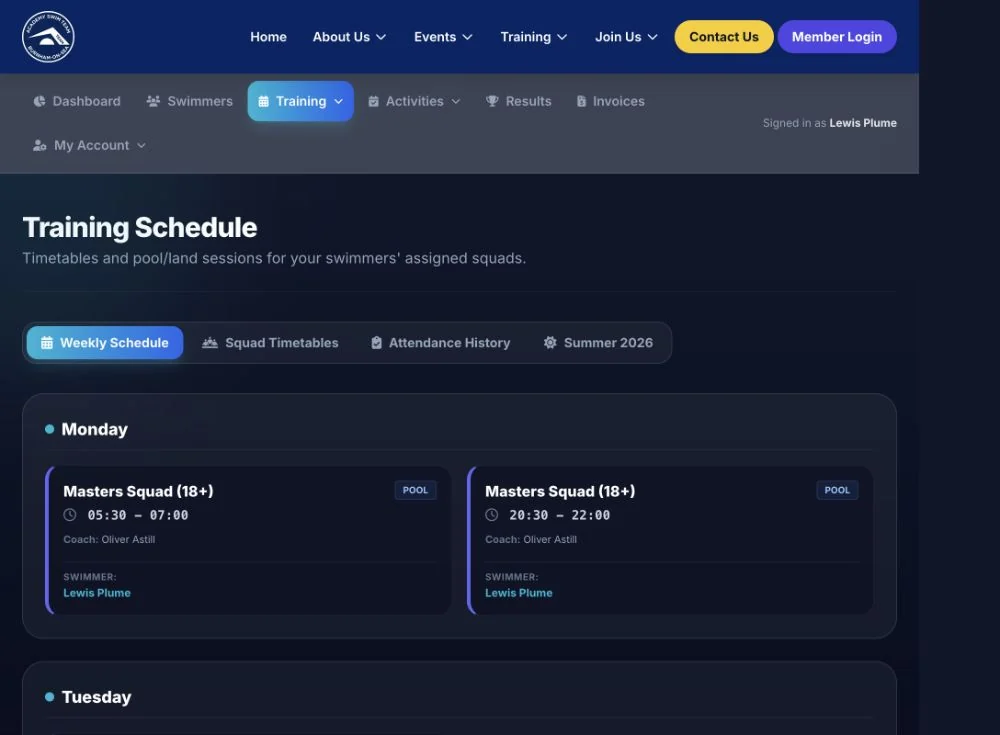
The training view matches each linked swimmer to the sessions for their assigned squad.
Results and progress
Results are loaded and maintained by authorised club administrators. Members can review them but do not edit official times.
The Qualify Checker is guidance
It compares the licensed times the club holds against the published standards. It does not replace the organiser’s own entry conditions, and it does not confirm an entry.
Billing
The ledger shows what the household has been charged, what has been collected, and what is scheduled.
Scheduled membership invoices
A scheduled membership invoice normally needs no action, because collection is handled automatically by Direct Debit. Contact the Treasurer if payment details have changed or an invoice looks wrong.
Your household
Swimmer records drive squads, meet eligibility, and billing, so important changes are reviewed by an administrator rather than applied straight away.
Requests, not silent edits
Change requests go to an administrator for review and do not overwrite the club record immediately. This keeps the information coaches and the club rely on accurate.
What families gain
Members Portal and Spond
They work together, but they have different jobs
Official competition entries, gala and club event responses, training and attendance, results and qualifying times, invoices and billing, the club calendar, and record-change requests.
Club messages, reminders, general updates, and the day-to-day chatter organised through the Spond app.
Responding to a competition message in Spond does not submit an official meet entry. Complete the entry in the Members Portal before the club deadline.
Permissions and responsibilities
The portal is the family view and action point. Authorised administrators remain responsible for:
If the club has sent your invitation, set the password within 24 hours and sign in with the invited email address. Once inside, add the club calendar and turn on notifications so the next deadline reaches you.
Portal screenshots were captured from an authorised household session on 27 September 2026. Personal identifiers, dates of birth, contact details, and payment references have been blurred.